
네이트온 내PC제어 for Android1.1.15.11 - Google Play
You'll be able to see results in few seconds.
Publisher Description
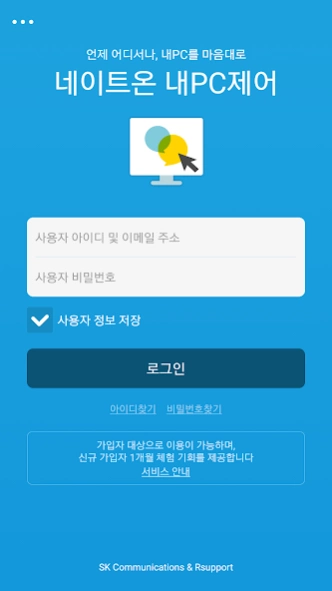

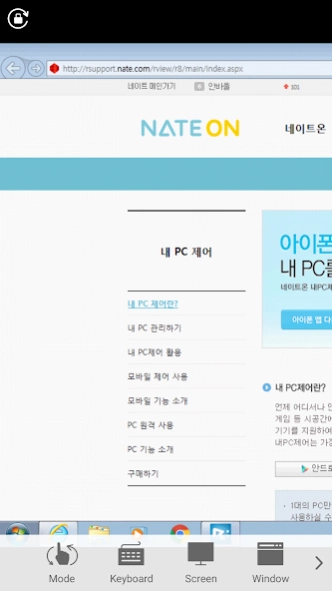

NateOn My PC Control is a PC remote control service mobile app.
The My PC control service provided by RSupport Inc. through SK Communications' NATEON is a service that allows you to easily, quickly and safely remotely control your computer anytime, anywhere in the environment where the Internet is connected to a mobile device.
If you install the'Agent' program on your office, home computer, or various terminals you manage, and install My PC Control from your smartphone, tab or pad, you can remotely control in real time.
Tasks that require high-performance processing such as 3D games, CAD, Photoshop, Word, and Excel, which are only available on a computer, can be performed through my PC control from a smartphone.
[Characteristic]
-Provides fast and stable PC and mobile remote service
-Can be used in any network environment such as dynamic IP, DHCP, private IP, firewall, etc.
-Strong network security with dual login, ASE 256bit encryption, and SSL communication
-Perfect operation of keyboard and mouse even on mobile
-Easily control screen zoom, mouse click, and scroll with your finger
-Not only English, but also Korean, Japanese, Chinese, etc.
-Supports remote control of the same environment on PC, iPhone/iPad, and Android devices
-Provides functions such as multi-monitor and PC screen lock
[uses]
-When it is necessary to establish the same environment as the PC in the office for perfect smart work (work from home, mobile office)
-If you want to access my PC in the office at home and do business
-When using my PC or files at home in the office
-In case of editing and writing related documents in the offices of businessmen who travel frequently
-When lectures and materials required by students and professors are located on a remote PC
-Server Manager When managing servers in IDC center or server room
-If you need to manage a large number of PCs
-In case of constant monitoring of kiosk unmanned ticket machines
[How to use]
-Install the agent
1. On the computer you want to remotely control, open a browser on the computer and enter http://rsupport.nate.com in the address field.
2. Enter your NateOn ID and password to log in to the site.
(If you do not have a Nate-on ID, you must sign up for membership at www.nate.com and log in.)
3. Go to the'My PC Control' menu and click the "Install" button in the remote PC list.
4. The agent is downloaded and installed.
-Remote control
1. Run My PC Control for NATEON downloaded through the App Store.
2. Log in with your NateOn account.
3. Select the computer you want to remote control.
4. Log in to the computer with the account you set up.
5. When login is complete, remote control the computer.
[Service access authority information]
Required access rights
-Storage space: Purpose of using the FTP function of remote screen capture, file transfer, and storage space file check during remote control
My PC Control Homepage: http://www.rsupport.nate.com
Manufacturer (Rsupport Co., Ltd.) website: http://www.rsupport.com
About 네이트온 내PC제어 for Android
The company that develops 네이트온 내PC제어 for Android is RSUPPORT Co., Ltd.. The latest version released by its developer is 1.1.15.11.
To install 네이트온 내PC제어 for Android on your Android device, just click the green Continue To App button above to start the installation process. The app is listed on our website since 2017-08-06 and was downloaded 0 times. We have already checked if the download link is safe, however for your own protection we recommend that you scan the downloaded app with your antivirus. Your antivirus may detect the 네이트온 내PC제어 for Android as malware as malware if the download link to rsupport.AndroidViewer.skcomms.nateon is broken.
How to install 네이트온 내PC제어 for Android on your Android device:
- Click on the Continue To App button on our website. This will redirect you to Google Play.
- Once the 네이트온 내PC제어 for Android is shown in the Google Play listing of your Android device, you can start its download and installation. Tap on the Install button located below the search bar and to the right of the app icon.
- A pop-up window with the permissions required by 네이트온 내PC제어 for Android will be shown. Click on Accept to continue the process.
- 네이트온 내PC제어 for Android will be downloaded onto your device, displaying a progress. Once the download completes, the installation will start and you'll get a notification after the installation is finished.
Program Details
System requirements
Download information
Pricing
Version History
version 1.1.15.11
posted on 2017-08-06
갤럭시S8 대응
Disclaimer
Official Google Play Link
We do not host 네이트온 내PC제어 for Android on our servers. We did not scan it for viruses, adware, spyware or other type of malware. This app is hosted by Google and passed their terms and conditions to be listed there. We recommend caution when installing it.
The Google Play link for 네이트온 내PC제어 for Android is provided to you by apps112.com without any warranties, representations or guarantees of any kind, so access it at your own risk.
If you have questions regarding this particular app contact the publisher directly. For questions about the functionalities of apps112.com contact us.
